Alfa File Manager
Rapid appsCommunication
2.64.00 Reviews
- Version
- 0.2.7
- Installs
- 10.00K
- Age Rating
- Everyone
Screenshots
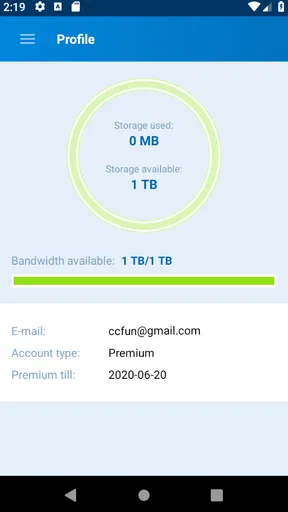
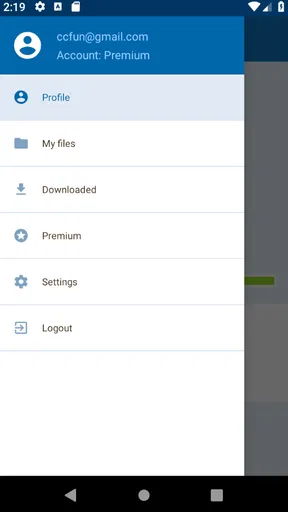
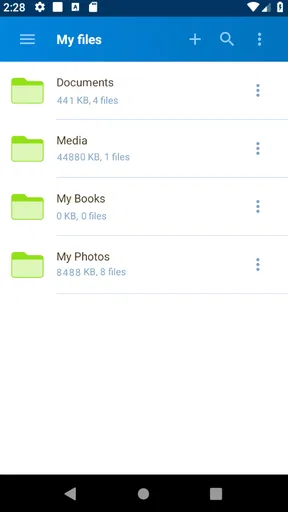
Our Review of Alfa File Manager
 Analysis by Appyee
I approached Alfa File Manager as a practical communication app rather than a general-purpose file browser. Its purpose is focused: it lets Android users manage and share files through alfafile.net from a mobile device. That narrow focus can be useful when your files already live in that service, but it also sets an important boundary. This is not automatically a replacement for the file manager already installed on your phone, and it is not the obvious choice for someone who simply wants to browse local folders.
In my experience, the app makes the most sense for people who regularly move documents, images, or other files through Alfa File’s online storage. The convenience comes from keeping that workflow on Android instead of switching to a desktop browser. If you only need occasional local file sorting, the usual system file manager will probably feel more natural. If you need a mobile doorway into alfafile.net, however, this app has a clear reason to exist.
How Alfa File Manager feels in its current state
The app is developed by Rapid apps and sits in the Communication category. That classification is revealing because the central task is not just organizing folders; it is helping you handle files that you intend to access or share through an online service. The current version is 0.2.7, and it supports Android 6.0 and later, which gives it a fairly broad reach across older and newer Android phones.
It is free to install and carries an Everyone age rating. There are also in-app purchases ranging from $15.99 to $104.99 per item, so I would not treat “free” as meaning that every possible use is necessarily without cost. Before committing to a regular workflow, I would check what those purchases unlock and whether they matter to the way you plan to use the service.
The app has passed the ten-thousand-install mark, while its average rating is 2.6 from 117 ratings. I read that combination as a reason to approach it with realistic expectations. It has found a user base, but the rating does not suggest a universally smooth experience. In practical terms, I would install it for a specific file-sharing need rather than assume it will become my only file tool.
That distinction matters on Android. A phone already has several places where files can appear: local storage, downloads, messaging attachments, cloud drives, and browser folders. Alfa File Manager adds a service-centered layer to that mix. Its value depends less on how many general file-management features it offers and more on whether alfafile.net is already part of your daily routine.
A useful workflow for everyday sharing
Imagine receiving a group of work documents on your phone and needing to place them on alfafile.net so another person can access them. With a conventional approach, you might open a browser, sign in or navigate through the service, locate the files in Android storage, and then handle the upload and sharing steps there. A dedicated app can reduce that back-and-forth by putting the service and the phone’s files closer together.
I would use it in that situation after first cleaning the source folder. Rename files clearly, remove duplicate images, and separate private material from anything meant to be shared. This is more than tidiness: a mobile upload workflow makes it easy to select the wrong item when several files have similar names. The app may simplify access to the service, but it cannot replace careful file preparation.
A second practical scenario is moving files between a phone and a computer without sending large attachments through a messaging app. I could place the files on alfafile.net from Android, then access them elsewhere when needed. That approach is especially sensible when the recipient does not need a live collaborative document and only needs access to a specific set of files.
There is also a useful separation between “files I keep on the phone” and “files I am preparing to share.” I would create that distinction mentally, even if the app’s organization does not mirror it perfectly. Local storage remains the place for immediate offline access; the online service becomes the handoff point. Keeping those roles separate reduces the chance of deleting a local copy too early.
What the version tells me about product evolution
The release history available for this app places its initial release on May 25, 2020, while the current version is 0.2.7. That combination suggests a product that has moved beyond its first release but still presents itself as a relatively early-stage utility rather than a mature, feature-heavy platform. I would interpret the version number as context, not as proof of quality by itself.
For an existing user, the important question is whether the newer build preserves the basic reason for installing it: reaching alfafile.net from Android and handling files there. A small version number can still contain meaningful fixes, compatibility work, or interface adjustments, but I would not assume that it signals a complete redesign. The safest expectation is incremental evolution around the core file-sharing purpose.
That has a direct effect on how I would update. If the app already works for your uploads and downloads, keeping it current is sensible because Android compatibility and service connections can change over time. If you are hoping an update will turn it into a full replacement for advanced file managers, I would temper that expectation. The app’s identity remains service-specific, and its usefulness is strongest inside that boundary.
For someone discovering it today, the version also helps frame the decision. I would test the exact workflow I care about immediately: open the app, locate the intended files, send a small test item, and retrieve it on another device or browser. A short real-world test tells me more than simply browsing the interface, especially because the app’s success depends on the complete path between Android storage and alfafile.net.
Where it compares well with familiar alternatives
Compared with the standard Android file manager, Alfa File Manager has a more specific advantage: it is aimed at connecting file handling with alfafile.net. A system file manager is usually better for browsing internal storage, sorting downloads, renaming folders, and moving items between local locations. I would choose the system tool for those jobs because it is already integrated into the phone and does not add another service layer.
Compared with using alfafile.net in a mobile browser, the dedicated app should be considered when you repeat the same service-centered task often. An app can feel more direct than opening a browser tab, finding the right page, and working through a mobile layout. On the other hand, a browser can be preferable when you need broader web access, want to avoid installing another app, or are using a device where the app does not behave as expected.
Compared with broad cloud-storage apps, this one is less attractive if your priority is office collaboration, automatic photo backup, or deep integration with other productivity tools. Large cloud platforms tend to offer wider ecosystems and more familiar cross-device workflows. Alfa File Manager’s appeal is narrower and more practical: it is for people whose destination is alfafile.net, not for someone choosing an all-purpose digital workspace.
That narrowness is not automatically a weakness. A focused tool can be easier to understand when your need is focused too. The trade-off is that you may still need another app for local organization, previews, compression, or other tasks outside the online sharing path. I would not uninstall the phone’s built-in file manager after installing this one.
Small habits that make the app more useful
My first recommendation is to test with a non-sensitive file before uploading anything important. Use a small document or image, confirm that it reaches the intended destination, and then retrieve it from another access point. This catches account, connectivity, and file-selection problems early without putting an irreplaceable file at risk.
Second, prepare filenames before starting the upload. On a phone, names such as “IMG_” followed by a string of digits are difficult to distinguish later. Adding a date, subject, or recipient to the filename makes the online copy easier to identify. This is a simple workflow improvement, but it matters more when the app is being used as a sharing bridge rather than as a long-term archive.
Third, separate uploading from sharing in your own process. I would upload first, verify the file, and only then send access details to another person. Treating those as two steps gives you a chance to catch a wrong version or accidental selection. It also prevents the common mistake of telling someone a file is ready before the transfer has actually completed.
Finally, avoid using mobile data for large transfers unless you understand the cost and reliability involved. A phone may switch between connections during a long operation, and a failed transfer can be frustrating when the file is important. For larger batches, I would use a stable connection and keep the app open long enough to confirm the result rather than assuming that tapping an upload control means the job is finished.
Where the experience may fall short
The rating of 2.6 is the clearest warning sign for me. It does not tell me which individual problems every user will encounter, but it does suggest that the experience has not been consistently satisfying across its audience. I would therefore avoid making it the only place where important files exist until I have personally tested reliability on my phone and network.
The service-specific design can also become friction when your needs change. If a colleague sends you files through another platform, or if you need to reorganize several local folders, you may have to leave Alfa File Manager and use a different tool. That is not a failure of the app so much as a consequence of its limited mission, but it affects the number of apps you need in a complete workflow.
The presence of in-app purchases deserves attention as well. Since the app is free to install but lists paid items between $15.99 and $104.99, I would not begin a work process assuming that every advanced or extended action is included. Check the purchase screen carefully before confirming anything, particularly if the app is being used on a shared family device or for work-related files.
I would also skip it if you are looking for a polished replacement for a full desktop-style file manager. People who need detailed local permissions, complex folder operations, broad synchronization choices, or a large set of productivity integrations may be happier with a more established alternative. Alfa File Manager is easier to justify when the question is “How do I use alfafile.net from Android?” rather than “Which app should control every file on my phone?”
Questions I would settle before relying on it
Can it replace the phone’s normal file manager? In my view, no—not as a general rule. It occupies a different role, centered on using alfafile.net from Android. Keep the built-in manager for local storage and use this app when the online service is the destination or source.
Is it suitable for occasional users? It can be, but only if the service itself is already the right place for the files. For a one-time transfer, a browser may be simpler because it avoids adding another installed tool. For repeated transfers from the phone, the dedicated route becomes easier to justify.
Should I trust it with important files immediately? I would not. Start with a harmless test, verify the upload and retrieval path, and maintain another copy until the process has proved dependable for you. The modest rating makes this cautious approach especially sensible.
Do I need to pay to get value from it? The app is free to install, but paid in-app items are available. I would inspect the exact purchase description in context before deciding. If your use is basic, test that basic path first rather than paying in advance for capabilities you may not need.
Is it a good choice for every Android phone? It supports Android 6.0 and newer, so compatibility is broad on paper. Still, support for an operating-system version does not guarantee that every device, network, or file type will feel equally smooth. My advice is to judge it on the phone and connection you actually plan to use.
What I would watch as the app continues
For future development, I would pay attention to whether updates make the core transfer workflow more dependable and clearer for first-time users. The most valuable progress would be anything that reduces uncertainty around selecting files, completing transfers, and confirming that the intended item is available through alfafile.net.
I would also watch how the app handles the balance between simplicity and broader file-management needs. Adding every possible feature could make a focused tool confusing, while leaving too much work to external apps could make it feel incomplete. The best direction would be a clean service-centered experience that still handles the practical moments around sharing, such as choosing the right local copy and checking the result.
Existing users should judge updates by their own routine rather than by the version number alone. If your current process is reliable, test a new release with a small file before changing a critical workflow. New users should do the same during their first session. That approach separates genuine improvement from wishful expectations and keeps the app in its proper role.
My final view is measured. Alfa File Manager is worth considering when you specifically want to manage and share files on alfafile.net from an Android device. Its free entry point, broad Android support, and focused purpose make it potentially useful for a recurring upload-and-share routine. At the same time, the 2.6 average, the available paid items, and its specialized scope mean I would not recommend it as a universal file solution.
My recommendation is to treat it as a dedicated bridge, not a complete replacement. Install it if alfafile.net is already part of your file workflow, run a small test, keep local backups, and compare its convenience with the browser and the file manager already on your phone. For that specific audience, it may save time. For everyone else, a more general file or cloud-storage option is likely to be the better fit.
Verdict
Strengths of Alfa File Manager
- Clean interface makes browsing folders simple and approachable.
- Supports common file operations such as copying, moving, renaming, and deleting.
- Useful search tools help locate files without checking every folder manually.
- Provides quick access to internal storage and connected storage locations.
- Lightweight design should work well on phones with limited storage or memory.
Limitations of Alfa File Manager
- Advanced cloud-storage integrations may be limited compared with larger file managers.
- The free version may include advertising or restrictions on certain features.
- File previews and format support can vary depending on the device and file type.
- Power users may miss automation, batch tools, or highly customizable layouts.
- Deleting files without careful confirmation can lead to accidental data loss.
Other Releases by Rapid apps
View All
WarStrike
Adventure3.6

Rapid Cloud File Manager
Communication3.0
Similar Picks in This Category
View All
Google Messages
Google LLC4.6

Gmail
Google LLC4.1

Google Meet
Google LLC4.4

Google Chrome
Google LLC4.1

WhatsApp Messenger
WhatsApp LLC4.6

Carrier Services
Google LLC4.2
Frequently Asked Questions
What is Alfa File Manager and what can I use it for?
Alfa File Manager is an Android file-management application designed to help you browse, organize, copy, move, rename, delete, and share files stored on your device. It can be useful for managing downloads, documents, images, videos, music, and folders from one interface. Depending on the version installed, it may also provide storage information, search tools, archive support, or shortcuts to commonly used locations.
Is Alfa File Manager safe to download and use?
Alfa File Manager should be downloaded from a trusted source, preferably the official Google Play listing or the developer’s verified website. Before installing, check the developer name, recent updates, user reviews, requested permissions, and privacy information. A file manager may need access to storage so it can perform its main functions, but you should be cautious if the app requests unrelated permissions such as contacts, microphone, or location.
What permissions does Alfa File Manager require?
The exact permissions can vary according to the Android version and the app release. Normally, Alfa File Manager requires permission to access files and media so it can display folders and manage content. Newer Android versions may use a system file picker or scoped storage instead of broad access. Review the permission screen carefully, and deny optional access that is not necessary for the features you intend to use.
Can Alfa File Manager open, transfer, and manage different file types?
Alfa File Manager can generally display and organize common file types such as photos, videos, audio files, documents, and downloaded items. It may allow you to open files with compatible applications, share them, create folders, and transfer items between internal storage and supported external locations. However, file previews and archive formats depend on the app version and on whether another suitable application is installed.
Does Alfa File Manager work with SD cards, USB storage, or cloud services?
Support for external storage depends on your phone, Android version, and the features included in the installed Alfa File Manager release. On compatible devices, it may let you browse an SD card or access USB storage through an OTG adapter after granting permission. Cloud-service integration is not guaranteed, so users who need Google Drive, Dropbox, or similar access should verify the app’s current feature list first.
